Finding Data for Synthesis
Search terms, repositories, and the search loop
Choosing search terms
Learning objectives
- Understand the concepts and terms useful when searching for research data
- Refine your synthesis group’s research question into the terms of a data query
Synthesis starts with data discovery
- Synthesis questions are often formulated with limited data in-hand
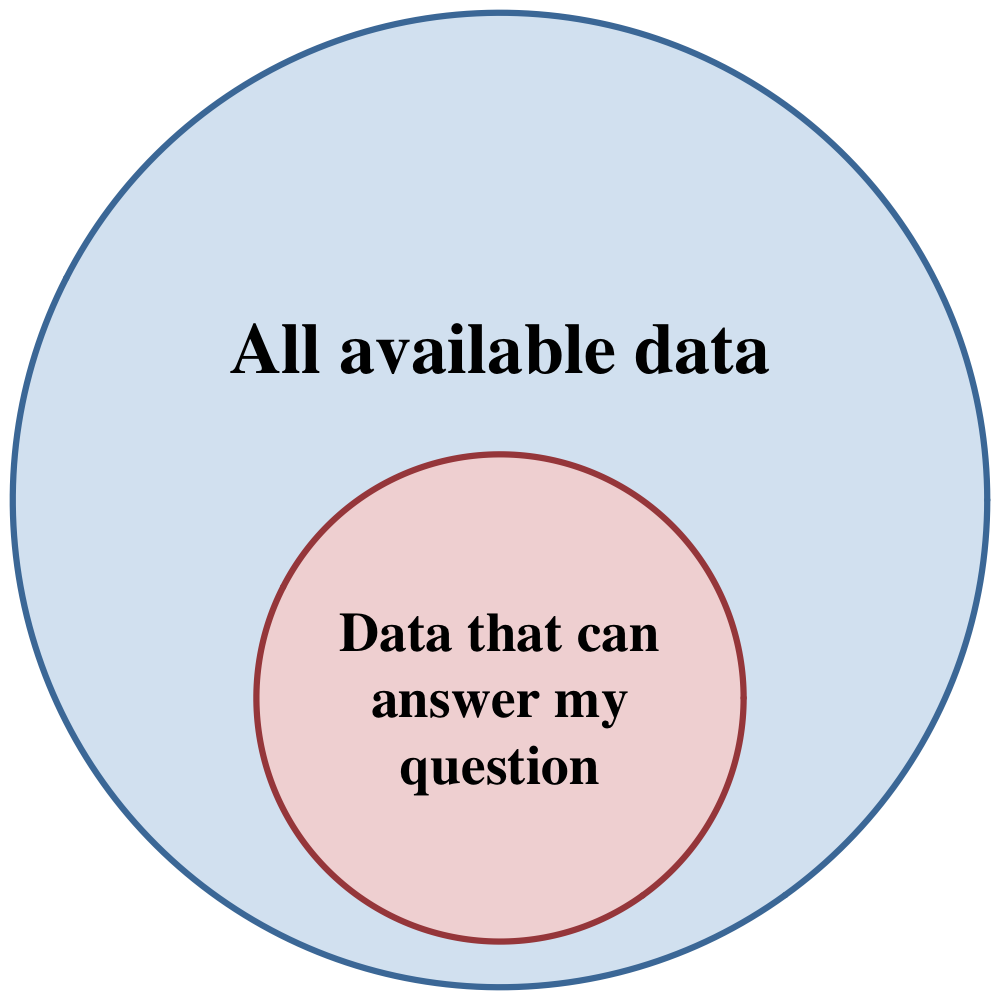
- The intent is to scale up to “all the available data”
- A clear research question maps directly to search criteria
Questions and datasets share the same elements
- Observational units — a thing or phenomenon to be measured
- → rows in a table
- Variables — an attribute/characteristic that can take different values
- → columns in a table
- Groups — treatments, taxonomic groups, functional types
- Temporal dimensions — when things happen, effect of time
- Spatial dimensions — where things happen, effect of location
Mapping a question
Does species richness increase or decrease after disturbance?
Does variable X increase or decrease with time?
- Variables: species occurrence or richness (#)
- Obs. units: a community w/ known disturbance time
- Groups: unspecified
- Temporal: time since disturbance
- Spatial: unspecified
Mapping a question
Are forests or deserts more sensitive to vapor pressure deficit?
Is group 1 or group 2 more strongly related to variable X?
- Variables: VPD, primary production (or similar)
- Obs. units: site meteorology & organisms/processes
- Groups: forest ecosystems, desert ecosystems
- Temporal: unspecified (but probably)
- Spatial: unspecified
Mapping a question
Is the latitudinal gradient in small mammal body size changing?
Is the relationship between variable X and variable Y changing?
- Variables: body length or mass, capture location
- Obs. units: individual small mammals
- Groups: unspecified
- Temporal: at least two time periods
- Spatial: latitude gradient
Activity
With your group (10 min)
Get into project groups and distill your research questions down to a conceptual mapping like the ones above. Once you have that, answer these questions in your group’s notes document:
- What observational units is the group asking questions about?
- What variables are of interest?
- Are there any distinct groups to compare?
- Is time or space important? If so, how?
Activity
Class discussion (5-10 min)
Lets spend a few minutes comparing notes on potential search strategies.
- Were there any unresolved questions or stumbling blocks?
- What search terms will the group use?
- Any thoughts on query structure or where to search?
Data repositories
Learning objectives
- Understand the differences between generalist repositories, specialized repositories, and search aggregators
- Identify repositories “known for” particular types of data
The landscape
- Repositories store and manage research data
- re3data.org lists 3,526 repositories
- You can’t search them all — know the landscape and search efficiently
Search methods
- Graphical web interface or API (application programming interface)
- Many repositories have an API “wrapper” in your favorite language
- Nowadays, be prepared to make an account and secure your credentials
You are searching metadata, not data
Metadata tells you:
- who collected the data
- what was collected
- when, where, how, and why
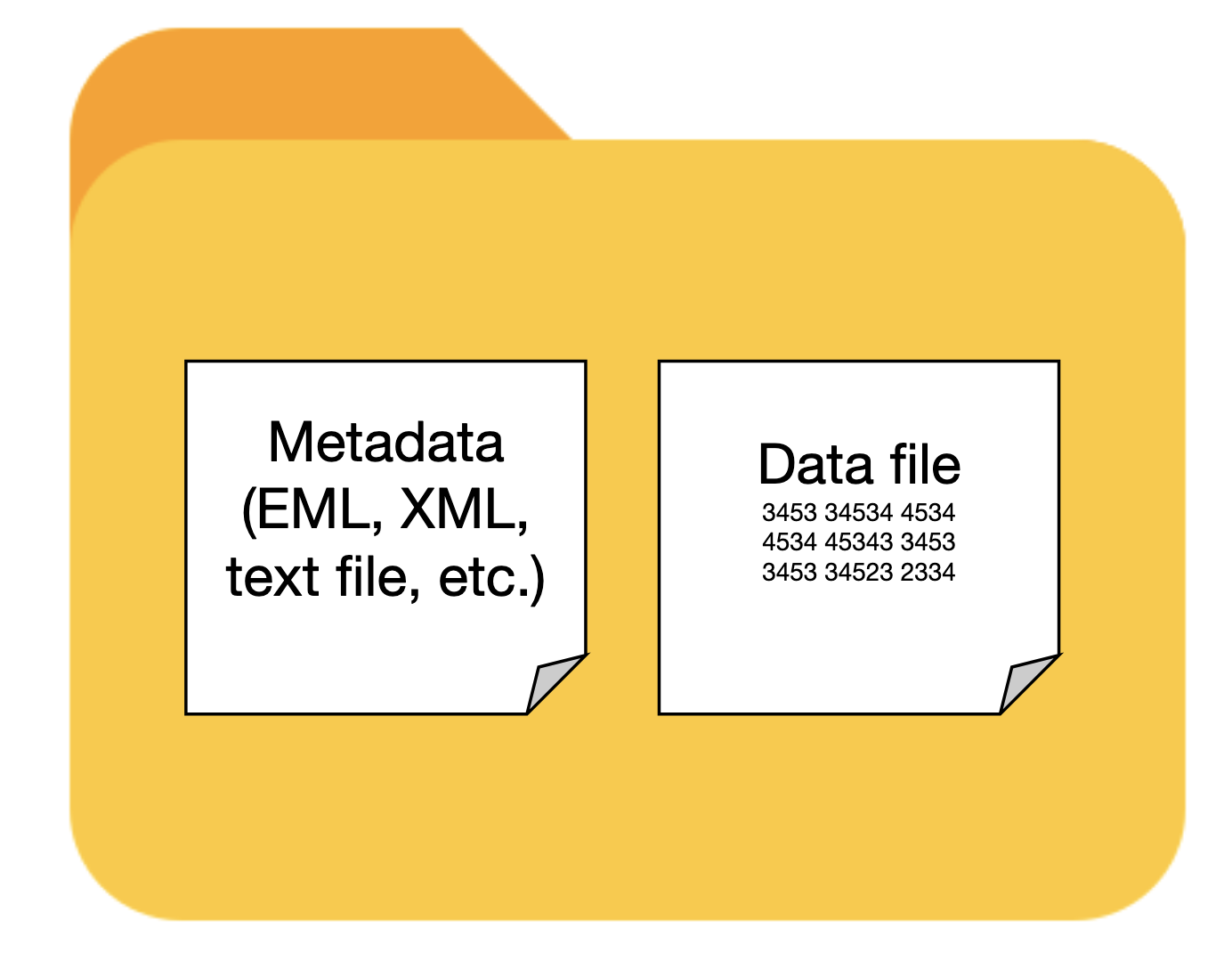
The essential unit is the dataset — data and metadata together.
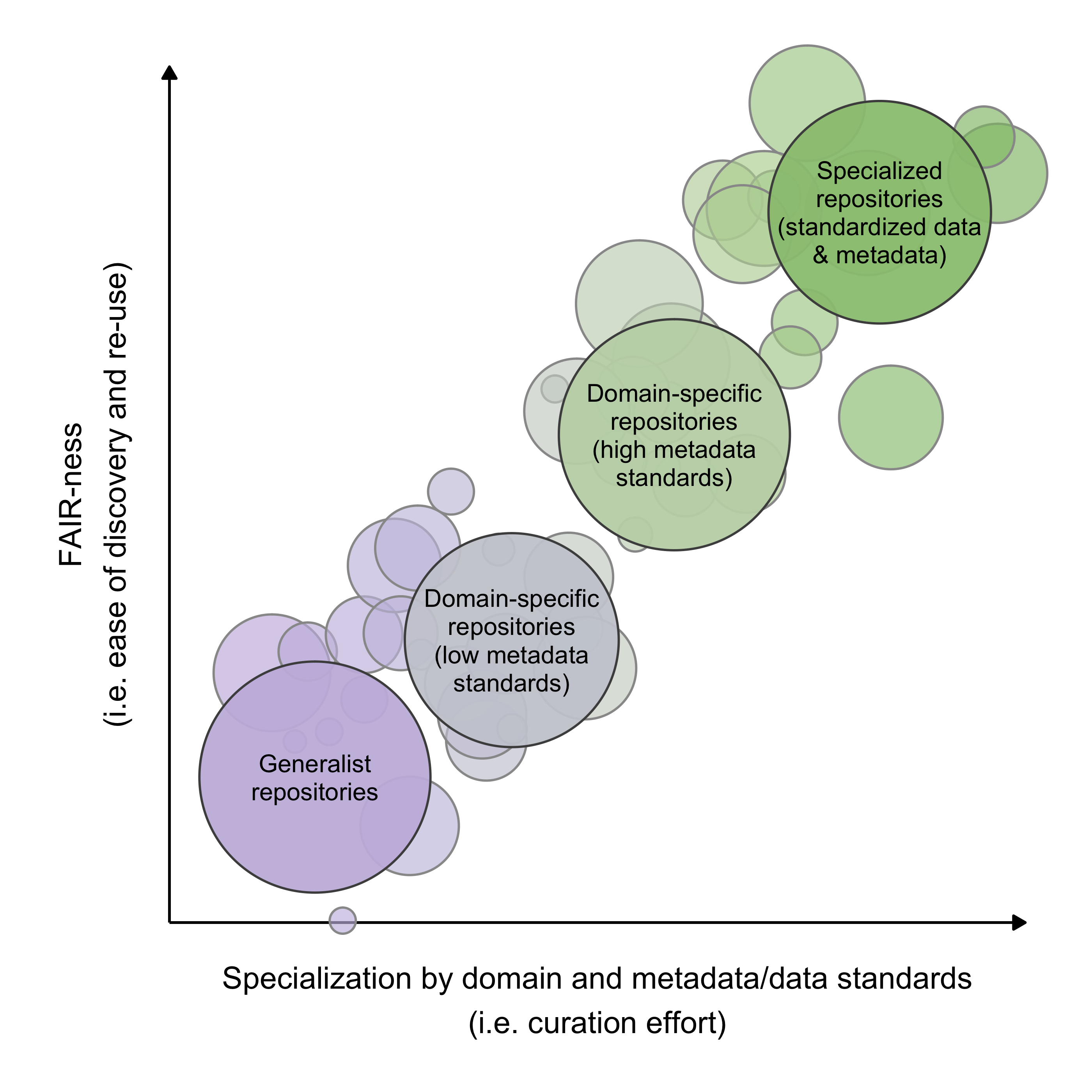
Three categories of repository
- Generalist — all kinds of data; looser metadata requirements
- Domain-specific — a discipline, location, or network; higher metadata standards
- Data-specialist — specific data types; strict metadata & data formatting rules
Specialization affects how long you spend finding data and preparing it.
Domain-specific repositories
- Arctic Data Center
- BCO-DMO
- EDI
- ESS-DIVE
- NASA
- ORNL DAAC
- PANGAEA
- USGS
R packages: dataone, EDIutils, nasadata, pangaear, dataRetrieval
Data specialist repositories
- AmeriFlux
- FLUXNET
- GBIF
- Google Earth Engine
- ICOS
- Microsoft Planetary Computer
- Movebank
- NCBI
- NEON
- NOAA
- TERN
- OBIS
- OpenTopography
R packages: amerifluxr, rgbif, rgee, rstac, move2, rentrez, neonUtilities, ausplotsR, robis
Generalist repositories
- Dryad — data underlying publications; CC0, DOIs
- Figshare — figures, datasets, posters, preprints
- Harvard Dataverse — all disciplines; versioning, DOIs
- Zenodo — any file type; GitHub integration
Be aware: it can be difficult to separate the wheat from the chaff.
Searching across repositories
Aggregators index metadata from many repositories and link out to the source.
- DataONE — environmental and ecological data
- Google Dataset Search — crawls schema.org metadata broadly
- OpenAIRE EXPLORE — thousands of repositories, journals, registries
- Open Traits Network — inventory of trait data repositories
Don’t double count with aggregators
Many repositories, including Arctic Data Center, BCO-DMO, Dryad, EDI, ESS-DIVE, NEON, NOAA, PANGAEA and more, are tracked by DataONE.
Be careful to filter out duplicates when searching aggregators AND the repositories they index.
The Search → Evaluate → Refine loop
Learning objectives
- Explain strategies for searching repositories, aggregators, and search engines
- Evaluate search results and judge whether they can answer a research question
Searching is iterative
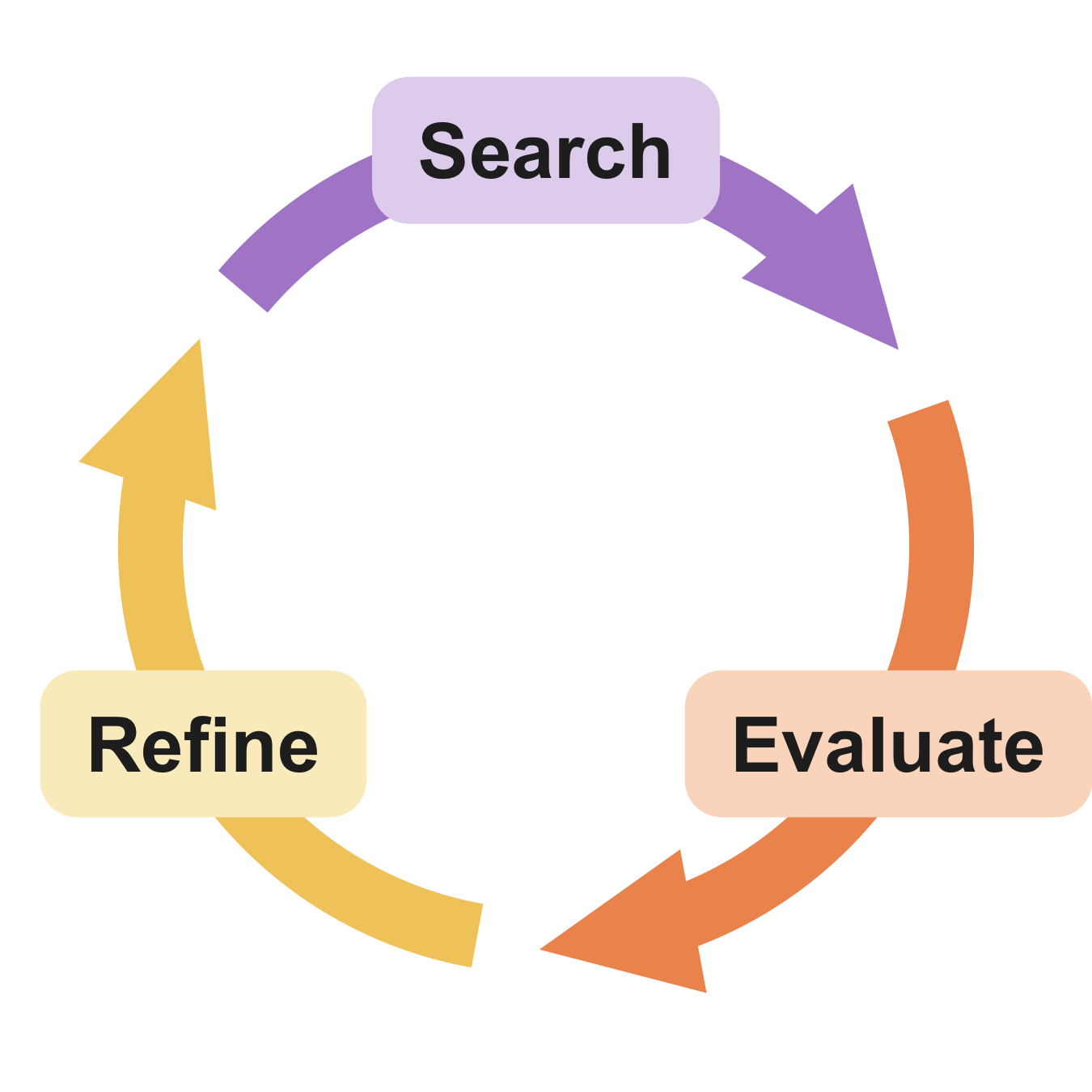
Start simple → evaluate → refine → search again.
You may go around several times.
Evaluation is key
- Did the search find datasets you know are present? A basic sanity check on your terms.
- Do spot-checked results look fit-for-use? Are your obs. units, variables, groups, and dimensions present?
- Too many results to evaluate? Add or exclude terms; winnow systematically.
- Too few results? Expand terms, or search elsewhere.
Refine: add synonyms and acronyms
Scientific language is full of closely-related terms
- “water” and “H2O” are the same thing
- “grasses” and “Poaceae” refer to the same taxonomic group
- “net primary production” is commonly called “NPP”
- “Nitrogen addition” is a kind of “fertilization”
- “soil CO2 efflux” is mostly equivalent to “soil respiration”
- “relative abundance” is one measure of “community composition”
- “Simpson’s diversity index” is derived from “species abundance” data
- “vapor pressure deficit” is derived from “air temperature” and “humidity”
Refine: find broader terms
- Taxonomic — genus, family, or functional group instead of binomials
- Higher-level processes — “forest carbon cycle” surfaces “litterfall”
- Spatial — “North Atlantic Ocean” as well as “NES LTER”
Refine: advanced queries
| Operator | Does | Example |
|---|---|---|
"" |
exact phrase | "reef biodiversity" |
* |
wildcard placeholder | primary produc* |
OR, | |
either term — broadens | "prairie pollinator" OR "grassland pollinator" |
AND, &, + |
both terms — narrows | bat + cactus |
NOT, -, ! |
exclude a term | marine biodiversity -fishery |
Refine: search indexed metadata
Most interfaces expose indexed metadata fields as operators.
| Operator | Does | Example |
|---|---|---|
site: |
search one domain | site:.gov bird data |
filetype: |
specific file extension | filetype:tif precipitation data |
intitle: |
word in the title | intitle:"lithology" |
inurl: |
word in the URL | inurl:data soil chemistry |
Refine: winnow huge results
- Keep the original search result for reproducibility
- Document the criteria used to exclude datasets
- Distribute the work equitably — reviewing is tedious
GenAI considerations
Useful for long, repetitive metadata extraction and filtering. But follow these guidelines:
- Download metadata for the model to iterate over, not every dataset
- Give the agent a clear plan to follow for each dataset
- Save all prompts and outputs for reproducibility and disclosure
- Validate the genAI’s results with some spot checking (at a minumum).
Refine: search in new places
- More repositories — revisit the generalist, domain-specific, and specialized lists; script your searches via repository APIs
- Reach out to people — data managers and researchers can connect you with unpublished data
GenAI writes API search scripts well, but ask whether you want to learn it yourself, and whether the code will overburden the API.
Reproducibility applies to search too
Document as you go:
- What repositories, aggregators, or sources you searched
- Your queries and results for each round
- How you filtered results afterward
- Datasets that were fit for use → your Data Inventory
- What you didn’t find
Contingency plans
Finding little to no data isn’t the end. It may mean a truly novel question, or a real gap in the scientific community’s research.
The focus can shift toward:
- A perspective piece highlighting the data gap
- Proposing a new research program or network